Custom app · 2026
Client and task management
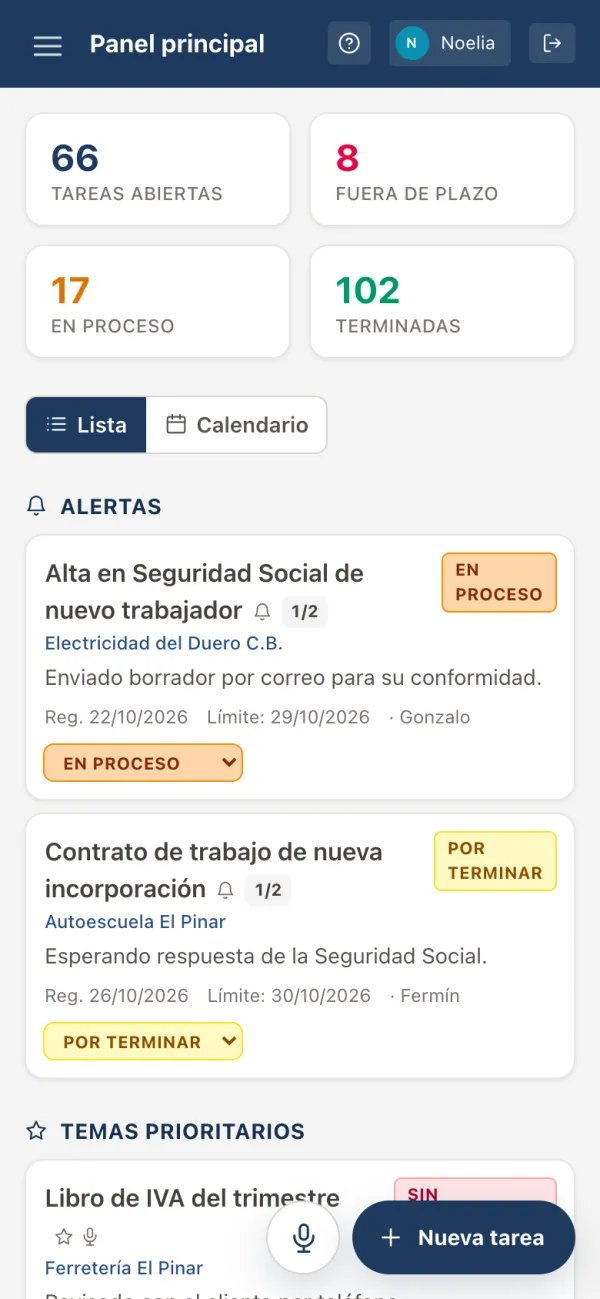
Employment, tax and accounting firm. The screenshots show the application's real interface running on invented data: none of the clients, colleagues, tasks or figures shown are real.
Replaces an 84-sheet spreadsheet with an internal application: a record, tracking and notebook per client, tasks created by speaking, real-time changes and a history nobody can rewrite.
- React
- Node.js
- SQLite
- Express
- Tailwind CSS
- Vite
The problem
The team had spent years working from a single shared Excel workbook with 84 sheets: a master one and one per client. It worked, but with three failings the team itself pointed out.
Logging is a chore, so it happens late
Open the workbook, find the client's tab, type. Many tasks were logged at the end of the day, or not at all.
Searching the history is slow
Finding out what was done for a client eight months ago meant scrolling down their tab by hand.
No traceability at all
Anyone could change any cell and there was no record of who moved what.
And one hard condition from the start: the spreadsheet would be retired on day one. No running both side by side, no going back — the application would become the only copy of years of the firm's work.
The process
- Phase 1
Understand
Read the real workbook: its columns, its colours, the statuses actually in use and the team's own vocabulary.
- Phase 2
Import
A repeatable script that turns the 84 sheets into clean data and flags what doesn't add up: duplicate codes, orphan sheets, doubtful names.
- Phase 3
Model
A 14-table SQLite schema: clients, tasks, assignees, steps, history, notebook, encrypted credentials, chat…
- Phase 4
Interface
Same terms, same columns and same colour logic as the spreadsheet. New things earn their place; they aren't imposed.
- Phase 5
Production
A Windows service on the office server, HTTPS through Caddy, outside access via Cloudflare Tunnel and a daily backup.
Creating a task by speaking
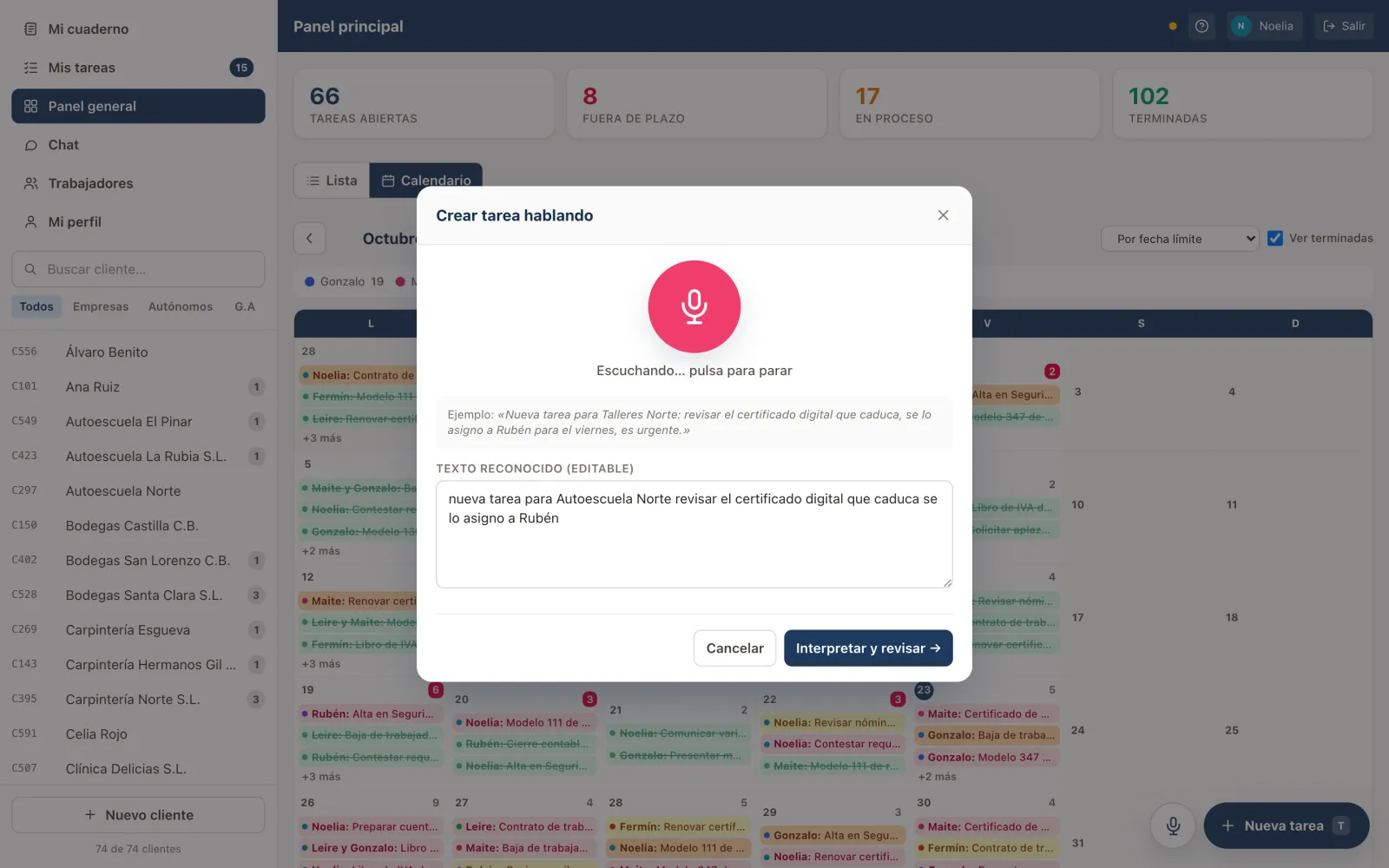
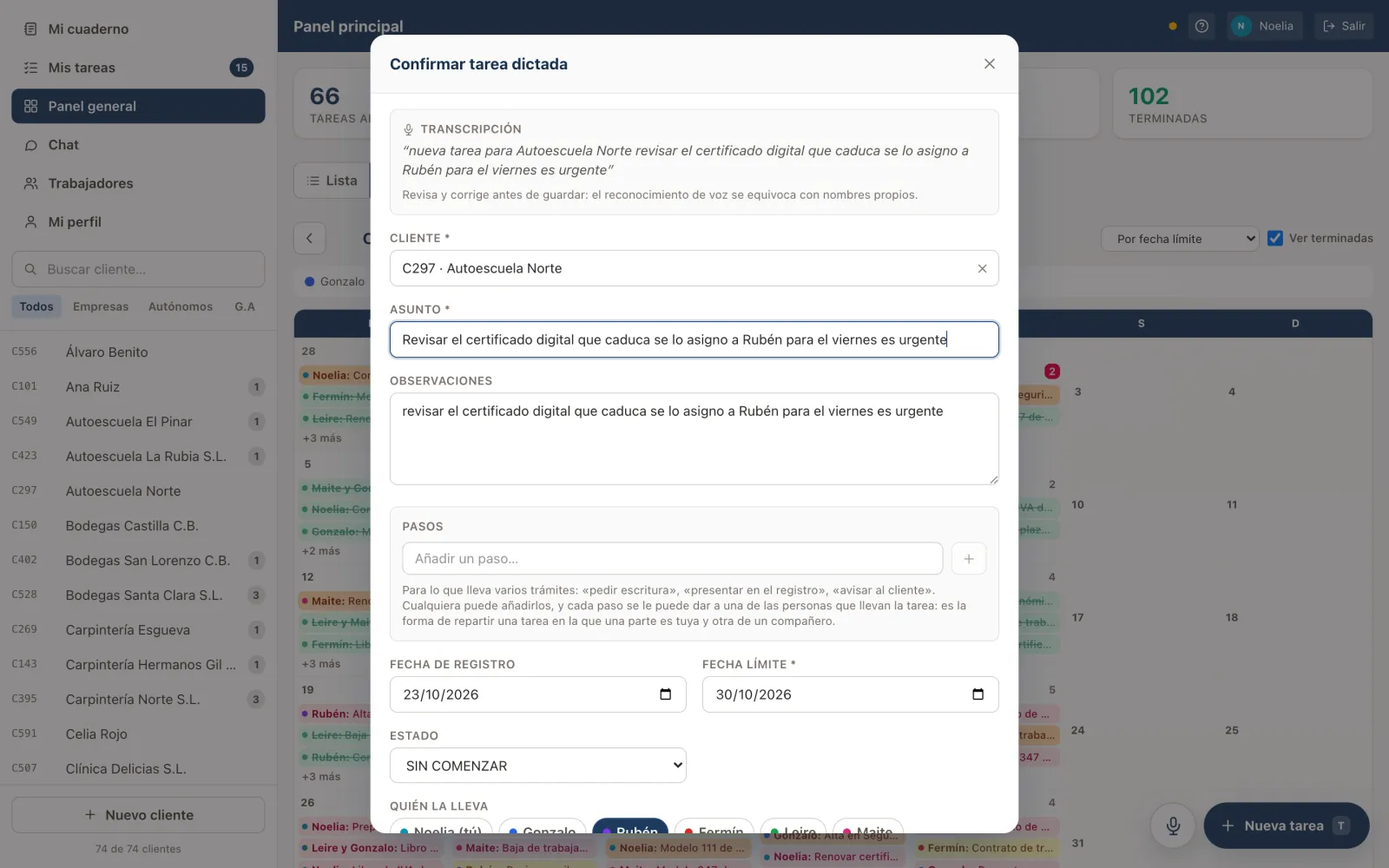
The number-one problem was that logging was a chore, so the answer is to make logging cost less than not logging.
A floating microphone transcribes what you say as you say it. A local rule-based parser pulls the client, the assignee, the deadline — 'tomorrow', 'on Friday', 'on 20 October' — and any alert or priority flags out of the sentence, then shows an editable confirmation before saving.
It uses the browser's Web Speech API, with no speech server and no API keys; where there's no microphone, you type the sentence and it's parsed the same way. The output already has the shape of the JSON an LLM would return, so moving to Whisper and Claude wouldn't mean touching the confirmation screen.
The model
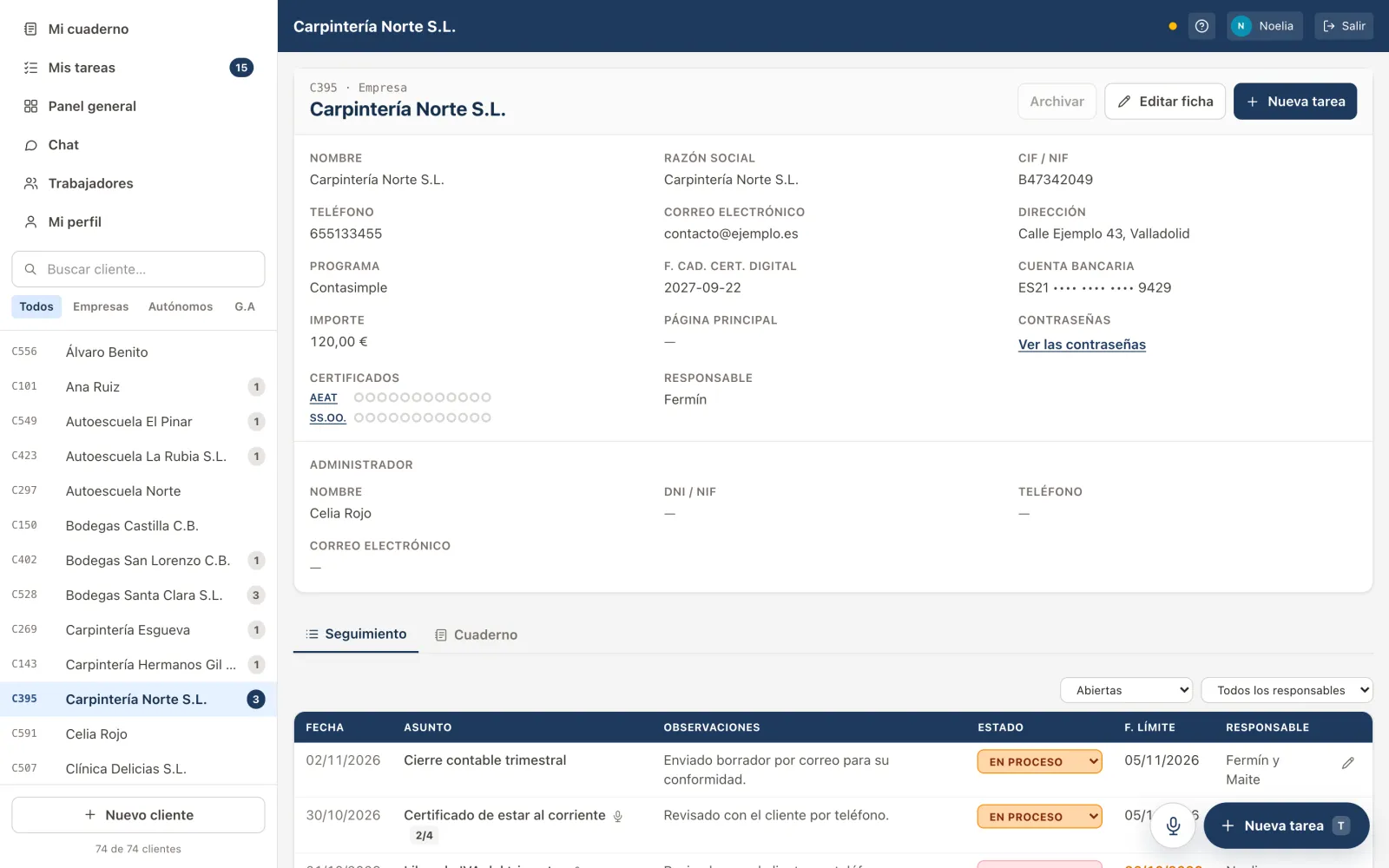
Client, task, assignees and steps, with a history that only accepts inserts. The shape is simple; what isn't simple are the rules running through it, which come from how the office actually works.
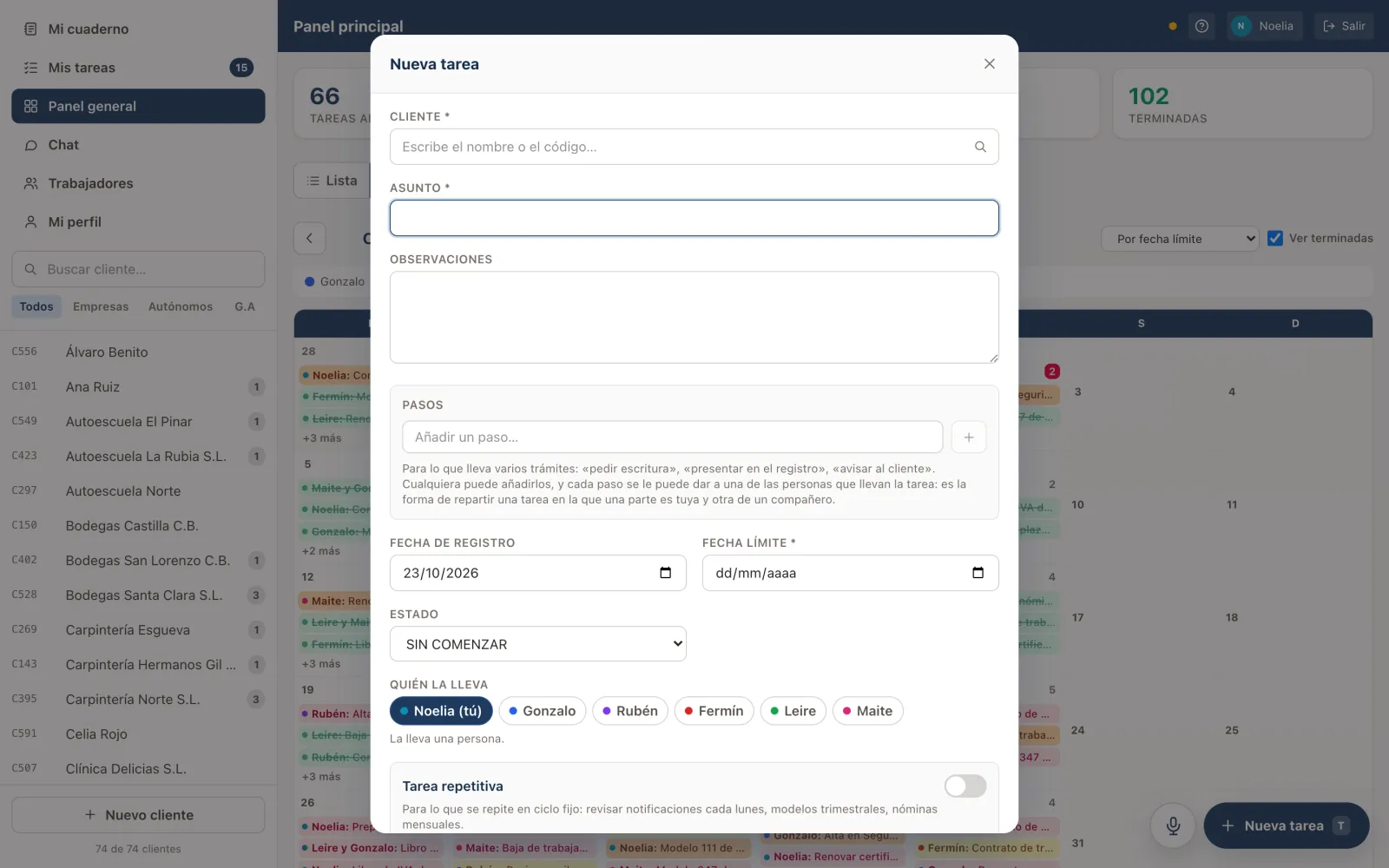
Several people, as equals
There's no owner with helpers: in the office, part of the work belongs to one person and part to another.
Acceptance is per person
One person can accept a task and another decline it, and the task stays alive with whoever accepted.
Recurring tasks are answered once
They're several tasks, one per date, but for whoever receives them it's a single decision.
Archive, don't delete
Actually deleting is for the administrator alone.
What it does
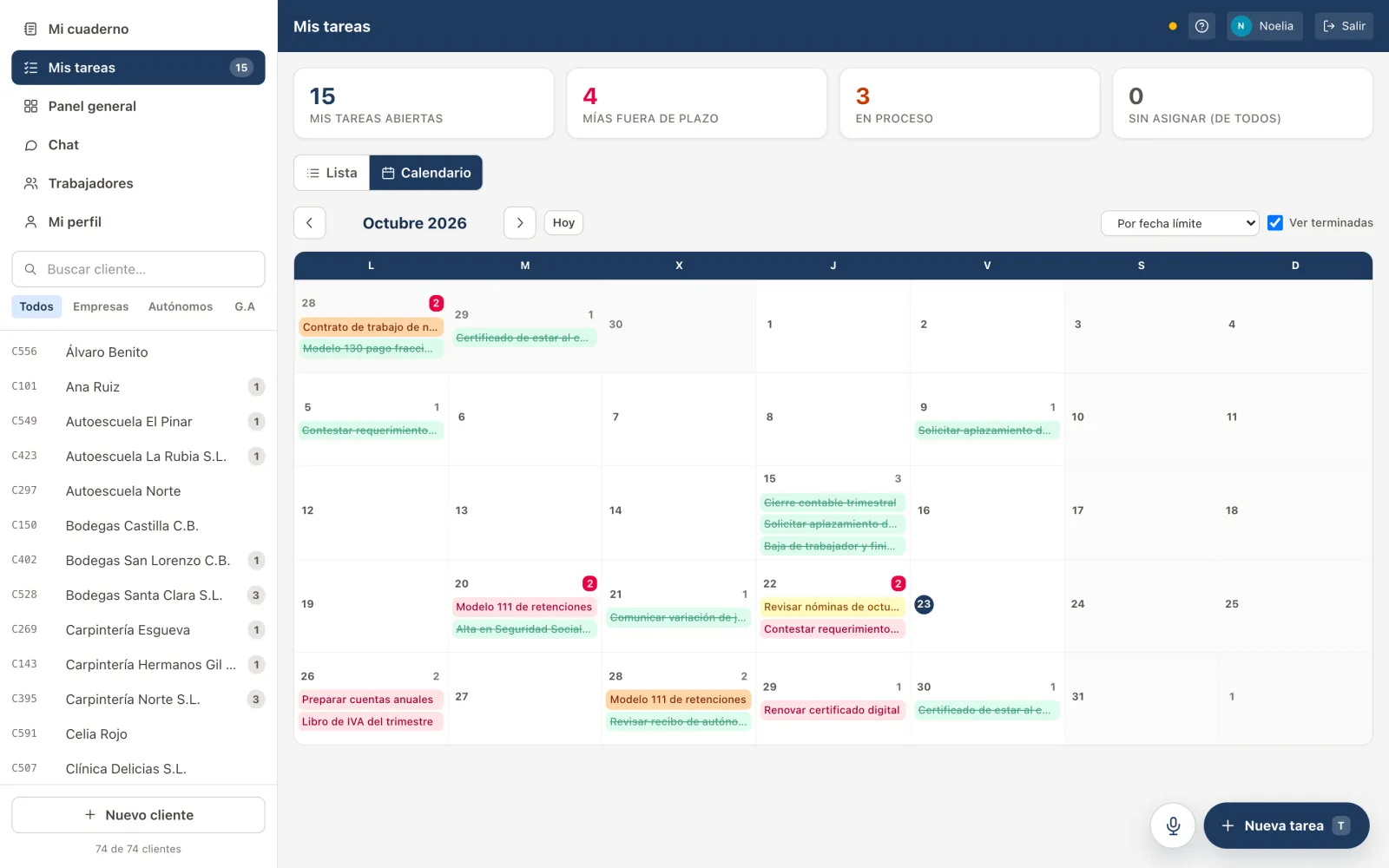
My tasks and overview
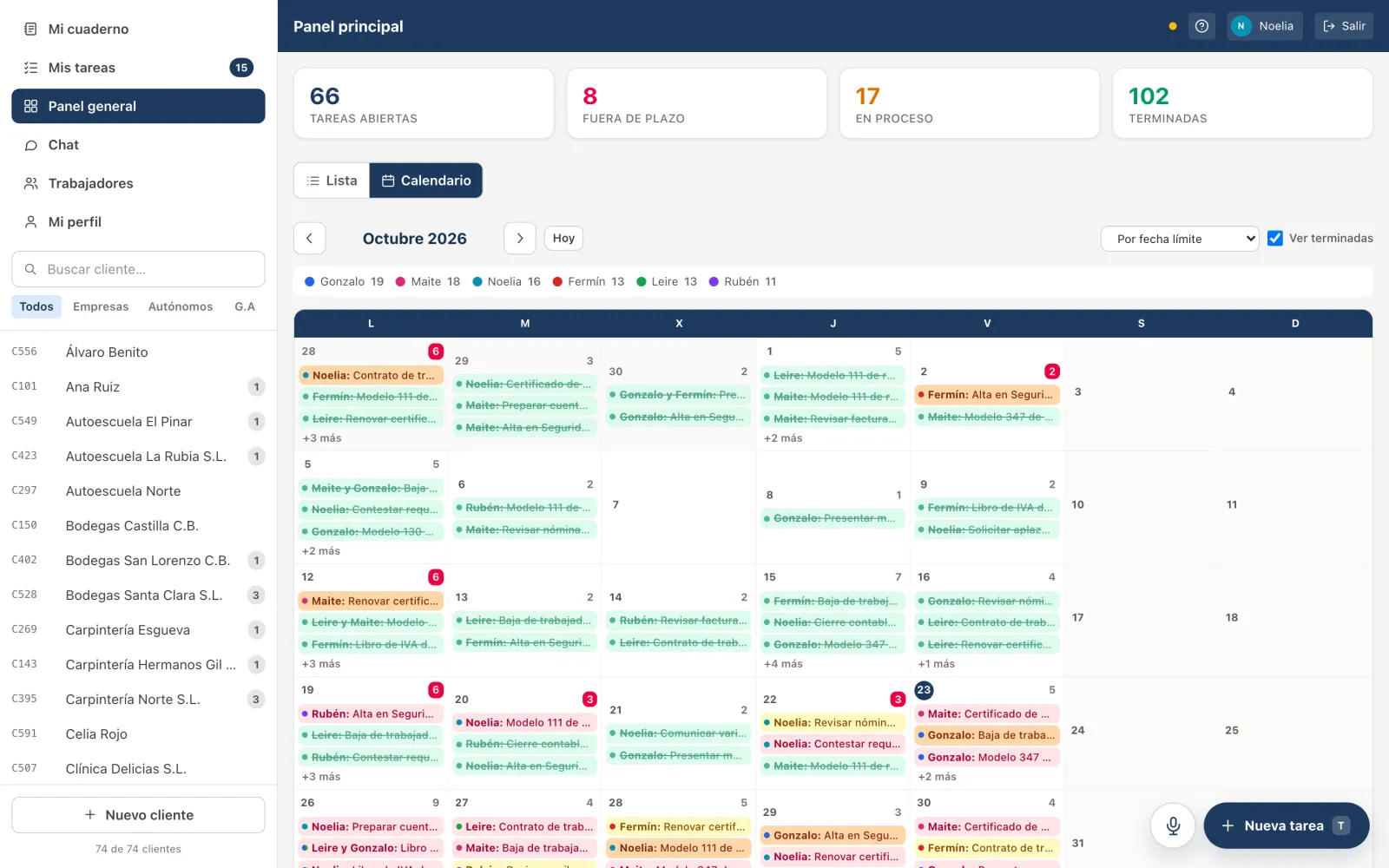
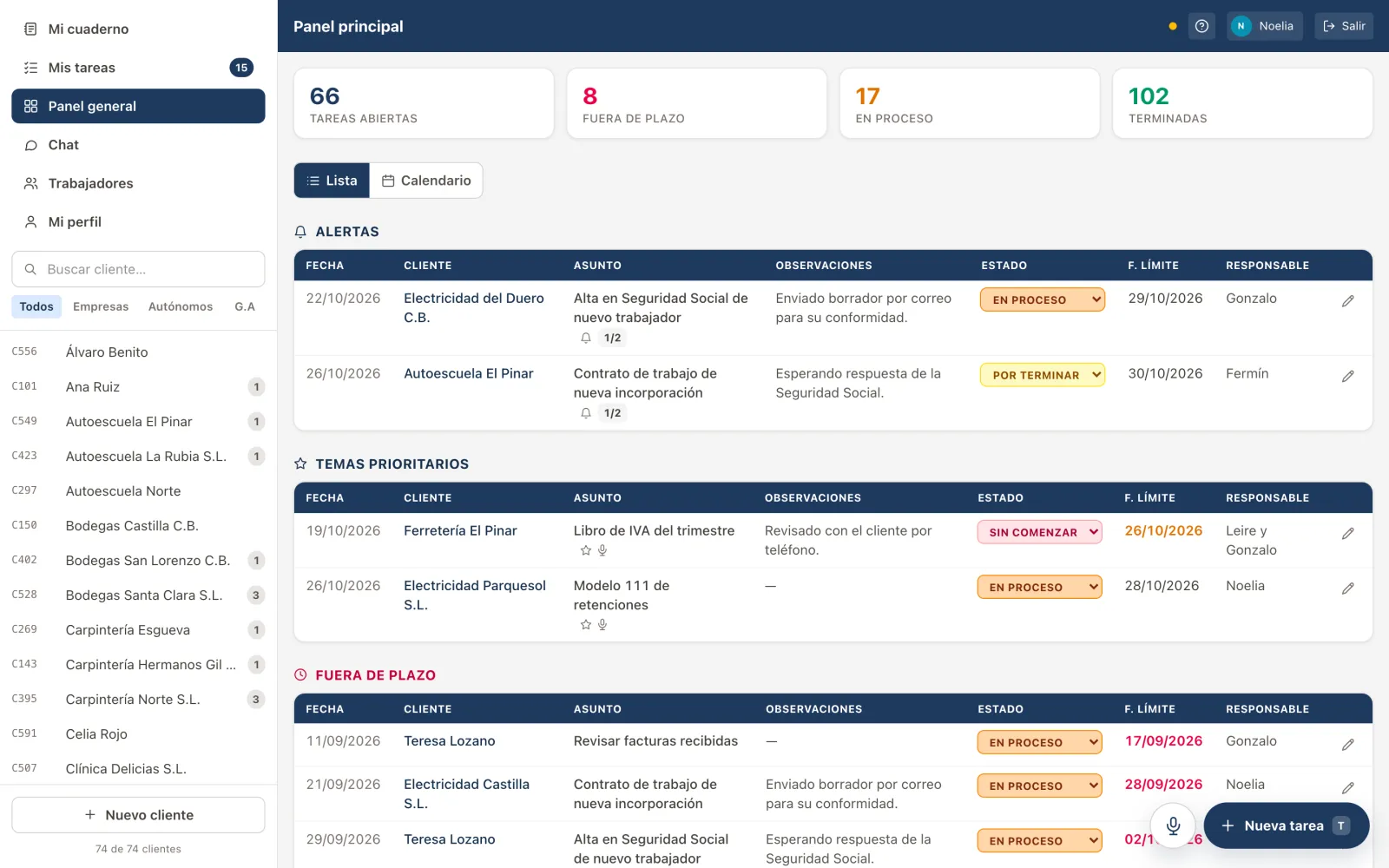
Alerts, priority items and overdue work, as a list or a monthly calendar.
Client record and tracking
Every field from the spreadsheet, with inline-editable status and cards on mobile.
A notebook per client
The whole team reads and writes; each person only edits, strikes or pins their own notes.
Credentials and certificates
Each client's website passwords, encrypted, and digital certificates with an expiry traffic light.
Real time and notifications
A colleague's changes show up instantly, and push notifications arrive even with the browser closed.
Chat and three roles
One-to-one internal chat, and staff, manager and administrator roles with permissions enforced on the server.
On a phone
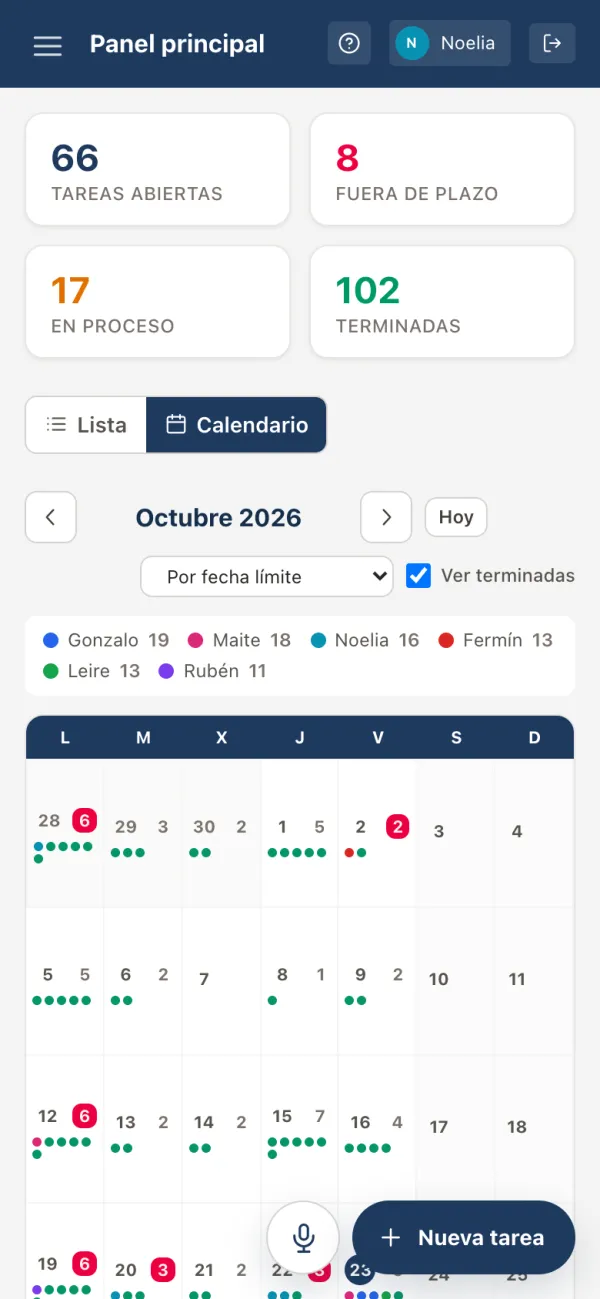
Anyone heading out to see a client takes the application in their pocket. On a phone the counters stack, the calendar shrinks each task to a coloured dot and the tables turn into cards.
The rules that make it hard
A textbook to-do list takes an afternoon. These rules are what turn it into something an accounting firm can trust with its only copy.
Narrow permissions, wide traceability
Almost anything can be edited by anyone, but a task's status can only be changed by the people on it. Every change lands in a history nobody can edit or delete, administrator included.
Privacy even from the administrator
They can't read a chat between two other people or rewrite anyone's notebook. A notebook someone else can rewrite stops being a reliable record.
Passwords don't travel with the backup
They're encrypted with AES-256-GCM, and the key lives outside the database and outside the backups that go to the cloud every night.
Dates and money, no surprises
Dates are computed in local time: toISOString() converts to UTC and returns the previous day during summer time. Amounts are stored as whole cents, because 0.1 + 0.2 isn't 0.3.
One source for recurring dates
The server, which creates the next task, and the calendar, which draws the ones that don't exist yet, share one module. Apart, the calendar would show one day and the task would be born on another.
Hot backups
VACUUM INTO copies SQLite consistently even while people are writing to it.
The project in numbers
- 86clients migrated from the spreadsheet
- 432real tasks imported
- 14SQLite tables
- 3roles with server-side permissions
- 12.000lines across 26 commits
- 5weeks, August to September
What I took away
The client's vocabulary is part of the product
Keeping the spreadsheet's terms, columns and colours keeps the learning to a minimum: the team already knows how to use it before opening it.
Model what actually happens
Going from one assignee to several equals, each accepting on their own, made the model harder. It's how the office works.
Fewer dependencies, fewer problems
node:sqlite instead of a native driver means nothing to compile on the Windows server. One process and one port run as a service with no other moving parts.
When it's the only copy, backups aren't optional
Integrity, daily backups and encrypted secrets were designed in from the start, not bolted on at the end.
And in your case?
Is your team still working from a spreadsheet nobody dares to touch?
This was built for an accounting firm, but the pattern — a shared document that has grown until it costs more to maintain than to use — turns up in almost any office. I take freelance projects alongside my job, and if you tell me about yours I'll say plainly whether I can help.
Tell me about it →